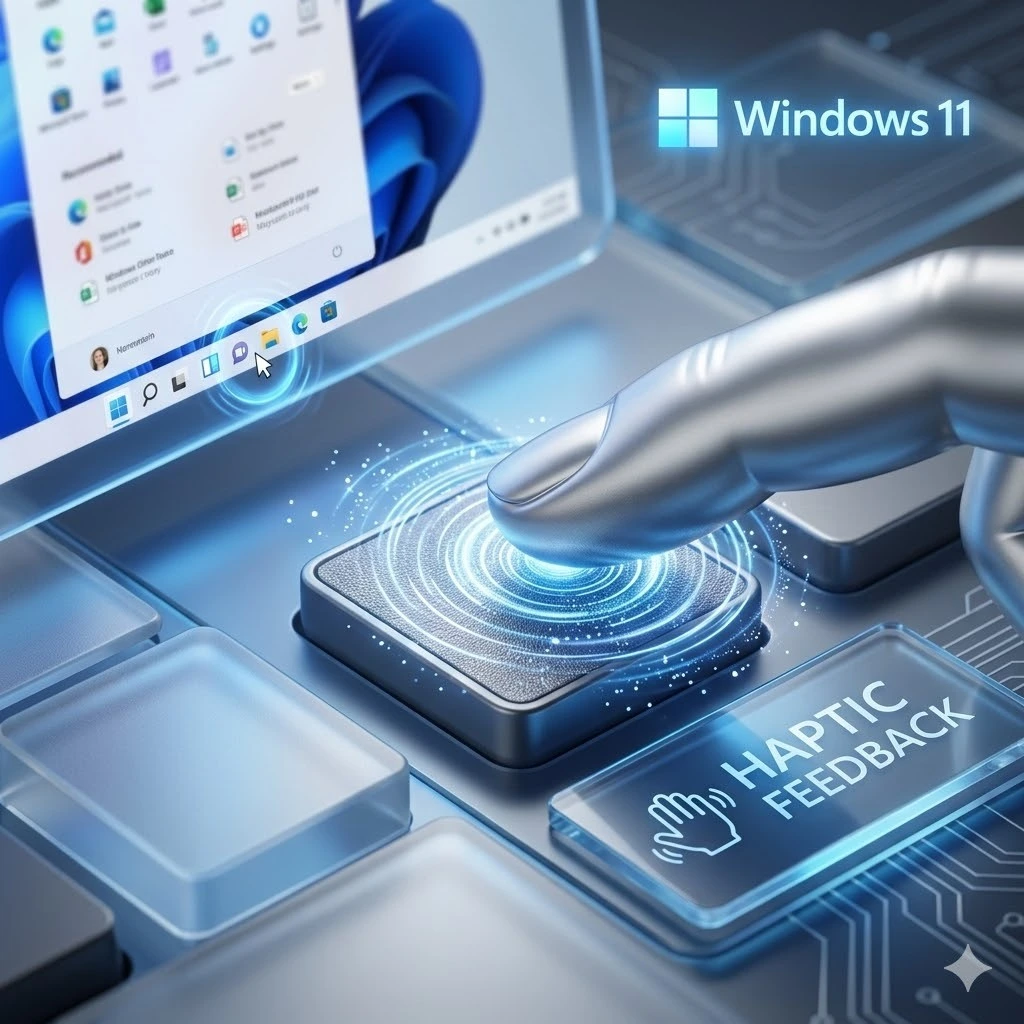
Microsoft is testing haptic feedback for Windows 11 inside Insider Preview Build 26300.8155. A haptic feedback feature that lets your laptop physically respond to everyday actions like snapping windows, resizing, aligning objects, and hovering over the close button.
The change is optional, hardware-dependent, and currently in testing. If it ships broadly, it closes a sensory gap between Windows PCs and smartphones that has existed for years.
What Is Haptic Feedback and Why Does It Matter on a PC
What it is
Haptic feedback is the technology that makes your device physically respond to your actions. For example, when your phone vibrates as you type or gives a subtle tap when you press the home button. That is haptic feedback. Haptic feedback replaces the need to look at a screen to confirm that an action happened. Your fingers already know.
Why has it been missing on Windows
Smartphones have had haptic feedback for years. Every tap, every swipe, every keyboard press on an iPhone or Android device is backed by a physical response. Windows has always relied entirely on 2 senses: visuals and sound. That made PCs feel 1 sense short compared to the phone in your pocket.
Why it matters now
More modern Windows laptops are shipping with precision haptic trackpads, hardware that can deliver targeted, intentional vibrations rather than a generic buzz. Microsoft is now building the software layer to use that hardware properly.
What Actions Will Trigger Haptic Feedback
Microsoft has been deliberate. This is not a blanket vibration on every click. Each action maps to a specific, intentional physical response.
The following 4 actions trigger haptic feedback in the current Insider build:
- Snapping a window: Single-tap confirmation when the window locks into position
- Resizing a window: Subtle resistance feedback as you drag the window edge
- Aligning objects in apps like PowerPoint: Light tap when objects lock to an alignment guide
- Hovering over the close button: Micro-vibration when your cursor sits over the X
| Action | Haptic Response | Hardware Required |
| Snapping a window | Single tap confirmation | Haptic trackpad |
| Resizing a window | Subtle resistance feedback | Haptic trackpad |
| Aligning objects in PowerPoint | Light tap on alignment lock | Haptic trackpad |
| Hovering over the close button | Micro-vibration on hover | Haptic trackpad |
| All features | Toggle on/off + strength adjustment | Compatible device only |
Where to Find and Control Haptic Feedback
How to access Haptic feedback
Haptic feedback settings live at: Settings > Bluetooth & Devices > Mouse > Haptic Signals
What you can control:
- Toggle the entire feature on or off
- Adjust the vibration strength to your preference
- Individual actions cannot yet be toggled separately
This level of control matters. Not everyone wants to feel their operating system. Microsoft has made it fully optional and easy to reverse.
Which Devices Actually Support It
The honest answer: not every Windows laptop
Haptic feedback requires hardware with a built-in haptic engine, specifically, precision haptic trackpads. A basic clickpad on an older laptop will not respond to this update at all, regardless of which Windows build is installed.
Devices confirmed to support haptic trackpads:
- Microsoft Surface Laptop 7
- Microsoft Surface Laptop Studio
- Other modern Windows laptops shipping with precision haptic trackpads (OEM-dependent)
Devices that will not support it:
- Any laptop with a standard clickpad (mechanical button mechanism)
- Desktop PCs without a compatible haptic mouse or input device
- Older laptops, regardless of Windows version
The feature is best understood as Microsoft building the software foundation now for hardware that is already arriving in the market; more laptops are shipping with haptic trackpads every year.
Is This the Same as the MacBook Trackpad
Yes. This is exactly the comparison most Windows users will make, and it is a fair one.
MacBook trackpads have delivered precise, intentional haptic feedback for years through Apple’s Taptic Engine. The trackpad on a MacBook does not physically click at all. It uses haptics to simulate a click that feels completely real. Apple has used this to build layer after layer of tactile feedback into macOS interactions.
Microsoft is pursuing the same goal. Targeted, action-specific feedback rather than random buzzing. The difference is that Apple controls both the hardware and the software, making implementation seamless. Microsoft must work across dozens of hardware partners with varying haptic engine quality, which makes consistent delivery harder. The Insider build represents Microsoft’s first serious step toward closing that gap.
What Else Is in Build 26300.8155
Haptic feedback gets the headline, but this Insider build includes 3 additional improvements worth noting:
- Xbox Mode rebrand: The Xbox full-screen experience is now called Xbox Mode, with a cleaner first-run setup flow for gamers
- Faster startup app launches: Under-the-hood improvements to app launch speed on system startup
- Bug fixes: Patches for sign-in issues affecting certain apps, and a printing crash that had been affecting Insider testers
None of these are major headline features, but reliability fixes are what build long-term trust in an operating system.
Should You Enable It Now?
If you are on the Windows Insider programme with a haptic trackpad:
Enable it. It is opt-in, easily reversible, and worth testing in your actual workflow to see whether the physical responses feel natural or distracting. This is exactly what Insider builds are for.
If you are on stable Windows 11:
Wait. Microsoft does not typically test a feature this polished in Insider without planning a broader rollout. It will likely arrive in a future general update without requiring any action on your part.
If your laptop does not have a haptic trackpad:
This update does not apply to your hardware. The feature will not appear regardless of which Windows version you run.
Why This Is a Bigger Deal Than It Looks
The sensory gap between phones and PCs is real
Every. Interaction on a modern smartphone has a physical dimension. Windows has never had that. For users who switch between a phone and a laptop dozens of times a day, that inconsistency is noticeable, even if they have never consciously identified it.
The balance has to be right
Too much haptic feedback becomes noise fast. Third-party haptic apps on Windows that fire on every scroll or hover quickly become irritating. Microsoft’s decision to limit feedback to 4 meaningful actions, including snaps, alignments, resizes, and close button hovers, suggests the team understands this risk. The worst version of haptics is randomness. The best version is a physical layer that reduces cognitive load. You do not have to confirm with your eyes what your fingers already know.
This is part of a broader Windows evolution
Hapti.c feedback fits into a larger pattern: Windows is evolving toward experiences that blend sight, sound, and touch, especially as 2-in-1 devices, stylus-friendly laptops, and precision trackpad hardware become more common. The tactile future of PC interaction is being built quietly, 1 Insider build at a time.
Final Takeaway
Haptic feedback on Windows 11 sounds like a minor quality-of-life update. In practice, it is Microsoft acknowledging something smartphones figured out years ago: physical confirmation of digital actions reduces the mental effort of using a device. Whether it becomes a feature you cannot live without, or one you immediately toggle off, depends entirely on your hardware and your preferences. Either way, it is a sign that Windows is paying attention to how the entire experience of using a PC feels, not just how it looks.
Windows updates, hardware releases, and the software changes shaping how we use our devices every day, our newsletter covers every development worth knowing about. Subscribe and stay ahead.