A medical alert system connects a person in an emergency to a live operator who can dispatch help within seconds. The emergencies include a fall, a cardiac event, a moment of sudden incapacity, and more.
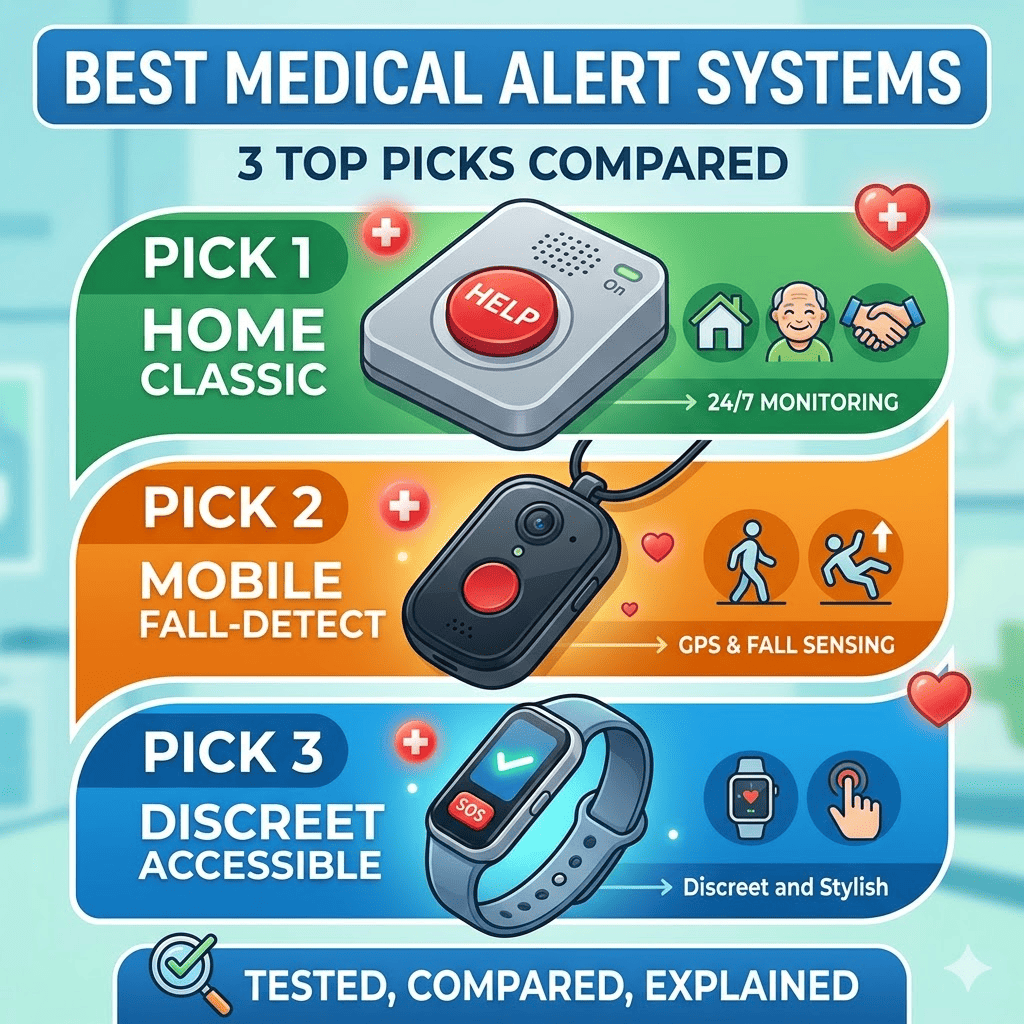
There are the 3 medical alert systems recommended as top picks after testing 22 systems, 1 for each of the 3 distinct use categories:
- UnaliWear Kanega Watch: Best on-the-go (mobile) system
- Alexa Emergency Assist: Best home-based system you don’t have to wear
- LifeFone At-Home Cellular: best traditional home-based system
The other systems, including Medical Guardian MGMini, Bay Alarm Medical, Apple Watch, Samsung Galaxy Watch 7, and GetSafe, are also considered, but are not the primary top picks.
1. UnaliWear Kanega Watch
The UnaliWear Kanega Watch by UnaliWear company is a smartwatch-style medical alert device that travels with the user, through showers, grocery runs, and outdoor activities, without requiring removal for charging at any point. It is the best mobile medical alert system for users who want protection outside the home and a device that does not look like a medical alert device.
Key Specifications:
- Setup fee: $299
- Monthly fee: $80+ (monthly plan) or ~$65 (annual plan)
- Fall detection: Included at no extra charge
- Network: Verizon cellular + Wi-Fi
- Battery system: 4 lithium-ion batteries (2 active in the watch, 2 charging externally) simultaneously
- Battery life per set: 24–36 hours
- Water resistance: Yes (not submersible)
- Average response time: 1 minute 7 seconds
- Return window: 30 days ($75 restocking fee)
- Wake words: “Fred Astaire” followed by “Get help”
What makes it the best mobile option:
The Kanega Watch’s battery system is its defining hardware advantage. Every other wearable medical alert device tested requires removal for charging, leaving the user unprotected during that window. The Kanega Watch never comes off. 2 batteries charge externally while 2 remain active in the device, with a built-in backup battery providing additional coverage during the swap. The device recorded only 1 false alarm reaching the call centre out of 17 accidental activations during testing. A false alarm containment rate of 94%.
Limitations to know before buying:
- GPS accuracy dropped to 0% location success 4 times out of 10 in Kansas City metro testing when disconnected from Wi-Fi.
- The “Fred Astaire” wake words are memorable in theory, but easy to confuse in a real emergency.
- Battery swapping requires manual dexterity. Users with limited hand strength struggle.
2. Alexa Emergency Assist
Alexa Emergency Assist by Amazon is not a traditional medical alert device. It is a subscription service added to any existing Amazon Echo speaker that delivers the fastest emergency response time of any system tested and the lowest long-term cost of any monitored service available.
Key Specifications:
- Monthly fee: $6 (Prime, monthly) / $8 (non-Prime, monthly)
- Annual fee: $59 (Prime) / $79 (non-Prime)
- Setup cost: Cost of Echo device(s). Approximately $40 per room recommended
- Fall detection: Not available
- Connectivity: Wi-Fi only
- Average response time: 14.5 seconds (fastest: 7 seconds)
- Power backup: None. The system fails during power outages
- Wake word options: Alexa, Amazon, Echo, Computer, or Ziggy
What makes it the best non-wearable option:
Alexa Emergency Assist activates with a wide range of natural phrases, like “Alexa, help,” “Alexa, I’ve fallen,” “Alexa, call for help,” rather than a single rigid command. Multiple Echo devices cover every room simultaneously, eliminating the range limitation that makes single-base systems inadequate for larger homes. Setup takes under 5 minutes. The annual Prime cost of $59 makes it the least expensive monitored medical alert service tested by a significant margin.
Limitations to know before buying:
- No fall detection available at any price tier.
- The system goes offline completely during power outages. No backup battery.
- Voice activation only. No physical button option beyond the smartphone app.
- Not suitable for users with speech difficulties or those uncomfortable with always-on listening devices.
3. LifeFone At-Home Cellular
LifeFone At-Home Cellular by LifeFone, a medical alert services company, is the best option for users who want a straightforward, button-based home medical alert system with no technological complexity, no setup fees, and no cancellation penalties.
Key Specifications:
- Monthly fee: $31 (annual plan) / $35 (monthly plan)
- Setup fee: None
- Fall detection: $5/month additional
- Network: AT&T cellular
- Range: 1,300 feet from base unit
- Average response time: 55 seconds
- Wearable options: Neck pendant or wristband
- Cancellation fee: None (equipment must be returned)
- Water resistance: Yes (not submersible)
What makes it the best traditional option:
LifeFone requires nothing from the user except pressing a button. The pendant uses a magnetic closure operable with 1 hand, specifically tested with users who have arthritis and limited dexterity. No activation fee, no cancellation fee, and a 30-day full refund window remove the financial risk that makes most medical alert purchases stressful. AT&T’s cellular network provides coverage without requiring home Wi-Fi.
Limitations to know before buying:
- The two-way speaker is on the base unit only. Not on the wearable pendant.
- Once an alert is activated, it cannot be cancelled. False alarms reach emergency contacts automatically.
- The device is visibly a medical alert system. No discreet design option available.
- No Wi-Fi integration means the signal weakens in a large building.
Comparison of the Top 3 Medical Alert Systems
The 3 top-recommended medical alert systems cover 3 completely different use cases, price points, and user needs, with a 3-year cost gap of $2,342 between the least and most expensive option.
| Specification | UnaliWear Kanega Watch | Alexa Emergency Assist | LifeFone At-Home Cellular |
| Best For | On-the-go mobile use | Home use, no wearable | Traditional home use |
| Setup Cost | $299 | ~$120 (Echo devices) | $0 |
| Monthly Fee | $65–$80 | $6–$8 | $31–$35 |
| 3-Year Total Cost | $2,639 | $297 | $1,296 |
| Average Response Time | 1 min 7 seconds | 14.5 seconds | 55 seconds |
| Fall Detection | Included (free) | Not available | $5/month extra |
| Network | Verizon + Wi-Fi | Wi-Fi only | AT&T cellular |
| Works Outside Home | Yes | No | No |
| Requires Wearing | Yes (watch) | No | Optional (pendant/wristband) |
| Power Backup | Built-in backup battery | None | 32-hour base backup |
| Water Resistant | Yes | No | Yes |
| Cancellation Fee | $75 restocking (30 days) | None | None |
Who Actually Needs a Medical Alert System
Medical alert systems serve 4 distinct user types, and the right device depends entirely on which category applies.
- Older adults living independently: The largest user group, covering the 30%+ of adults over 65 who fall each year and need guaranteed access to help at any hour.
- Post-surgery and recovery patients: Temporary users who need monitored protection during a 4 to 12-week recovery window when fall risk is elevated.
- People with chronic balance or neurological conditions: Long-term users, including those with Parkinson’s disease, MS, or inner ear disorders affecting stability.
- Remote caregivers: Adult children or family members monitoring a loved one from a different city, who need real-time alerts and location confirmation without being physically present.
86% of medical alert system users report that their device saved them or their loved one from a serious incident, according to a Forbes Health survey of 2,000 US adults.
How to Pay Less:
Medical alert systems qualify for 4 cost reduction pathways that most buyers do not investigate before purchasing.
- FSA and HSA accounts: Cover eligible medical alert devices with pre-tax dollars, reducing the effective cost by the buyer’s marginal tax rate.
- Medicare Advantage (Part C): Some plans cover partial or full medical alert system costs; traditional Medicare Part B does not.
- Veterans Affairs (VA): Qualifying US military veterans receive medical alert systems through their VA provider at zero out-of-pocket cost.
- Annual vs. monthly billing: Paying annually rather than monthly reduces monitoring costs on most systems by 10–15%.
No-Monthly-Fee Options
Don’t want to pay a monthly fee? Here are the 2 smartwatches with a zero monthly fee model.
- Apple Watch Series 10 and
- Samsung Galaxy Watch 7
Both deliver medical alert functionality, including fall detection, emergency SOS calling, and GPS location, with zero monthly monitoring fees. Apple Watch Series 10 starts at $399 with 36-hour battery life.
Both connect directly to 911 rather than a dedicated call centre, meaning there is no live operator to assess the situation, notify contacts, or provide non-emergency guidance. Choose these 2 devices if you are comfortable with technology, do not need 24/7 operator support, and want medical alert capability without a recurring monthly cost.
Final Takeaway
A medical alert system is not a product most people want to need. But the 7-second response time of Alexa Emergency Assist, the always-on battery of the Kanega Watch, and the zero-friction button of the LifeFone exist precisely for the moment when everything else fails. The right choice is not the most expensive system or the most recognisable brand. It is the 1 device the person who needs it will actually wear, remember to use, and trust in the moment that matters.
Health technology is advancing faster than most people realise. From medical alert systems to wearable diagnostics and AI-powered monitoring. Our newsletter covers every development worth knowing about, explained clearly and delivered to your inbox. Subscribe and stay informed.