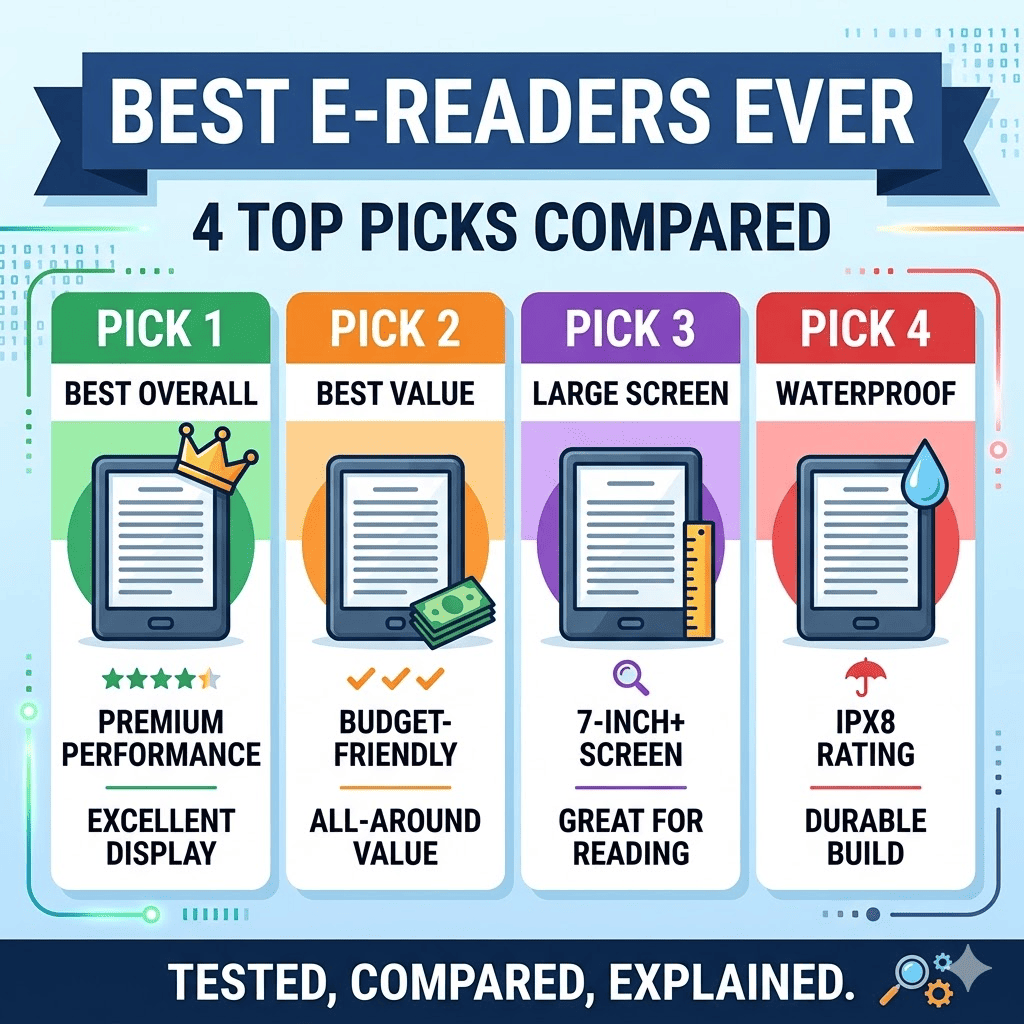
An e-reader does 1 thing better than any other device: it lets you read without the distractions, eye strain, and battery anxiety of a phone or tablet. After testing dozens of models over more than a decade. From the Kindle Paperwhite to lesser-known rivals like the Xteink X4. 4 e-readers stand out as the best options. Each suited to a different type of reader.
The 4 Best E-Readers
1. Best Overall Kindle: Kindle Paperwhite (2024)
The Kindle Paperwhite is the best e-reader for most Amazon customers, offering the largest screen in the Kindle lineup at a price $70 below its closest non-Amazon competitor.
Key specifications:
- Price: $160 (with ads) / $180 (without ads)
- Screen: 7-inch, 300ppi
- Weight: 211 grams
- Storage: 16GB
- Water resistance: IPX8
- Warm frontlight: Yes. Adjustable.
- Wireless charging: Signature Edition only ($199.99)
- Verge Score: 8/10
What it does well: The Paperwhite’s 300ppi display delivers sharp, high-contrast text that is the best-looking screen on any e-reader tested. IPX8 waterproofing makes it safe for bath and beach reading. The warm frontlight adjusts colour temperature for evening reading. Prime members get access to Prime Reading (free ebooks) and Amazon’s frequent ebook sales are deeper than those from any competitor.
What it does not do: The Paperwhite does not support stylus input, physical page-turn buttons, or EPUB files natively. Lockscreen ads appear unless you pay $20 to remove them. Its 7-inch size makes one-handed reading slightly uncomfortable for some users.
Buy it if: You primarily purchase ebooks from Amazon and want the best screen at the most reasonable price.
2. Best Non-Amazon E-Reader: Kobo Libra Colour
The Kobo Libra Colour is the best e-reader for buyers outside the Amazon ecosystem, offering every feature the Paperwhite provides, plus physical page-turn buttons, stylus support, colour display, and library borrowing.
Key specifications:
- Price: $230 (ad-free)
- Screen: 7-inch, 300ppi (black and white), 150ppi (colour)
- Weight: 199.5 grams
- Storage: 32GB
- Water resistance: Yes
- Physical page-turn buttons: Yes
- Stylus support: Yes (Kobo Stylus 2 sold separately at $69.99)
- Colour technology: E Ink Kaleido. Soft, pastel-like hues.
- Verge Score: Not scored separately. Recommended as top non-Amazon pick.
What it does well: The Libra Colour’s physical page-turn buttons eliminate the need to touch the screen during reading. Its colour display makes graphic novels, illustrated books, and annotated text significantly more enjoyable than a monochrome screen. Built-in stylus support allows colour highlighting, annotation, and notebook use. OverDrive library integration works without third-party tools.
What it does not do: Colour resolution drops to 150ppi, noticeably less sharp than the 300ppi black-and-white mode. The $69.99 stylus is sold separately and required for certain features. Accessing Kindle books requires third-party conversion tools.
Buy it if: You want the most versatile reading experience, prefer not to be locked into Amazon’s ecosystem, or want library borrowing, physical buttons, and stylus support in 1 device.
3. Best Budget E-Reader: Kindle (2024)
The base-model Kindle is the best cheap e-reader available, delivering a 300ppi display at the lowest price of any e-reader tested, in the most pocketable form factor.
Key specifications:
- Price: $110 (with ads) / $130 (without ads)
- Screen: 6-inch, 300ppi
- Weight: 158 grams. The lightest model tested.
- Storage: 16GB
- Water resistance: None
- Warm frontlight: None
- USB-C: Yes
What it does well: At 158 grams, the base Kindle is light enough for small hands and genuinely pocketable. Its 300ppi display produces sharper text than any competing e-reader in its price range. USB-C charging is faster than the Micro-USB still found on some budget competitors.
What it does not do: No waterproofing, no adjustable warm light, no physical page-turn buttons. The screen size at 6 inches feels more cramped than the 7-inch Paperwhite. Still locked into Amazon’s ecosystem with mandatory lockscreen ads unless you pay $20 extra.
For children: The Kindle Kids Edition ($130) shares identical hardware but adds an ad-free experience, parental controls, a 2-year replacement guarantee, a case, and 6 months of Amazon Kids Plus, which grants access to thousands of children’s books and audiobooks. After 6 months, Amazon Kids Plus costs $79 per year ($48 with Prime).
Buy it if: Budget is the primary constraint, or you are buying for a child who needs something light, affordable, and durable.
4. Best E-Reader for Note-Taking: Kobo Elipsa 2E
The Kobo Elipsa 2E is the best e-reader for anyone who wants to write directly on book pages, convert handwriting to text, and sync notes externally.
Key specifications:
- Price: $400
- Screen: 10.3-inch, 227ppi
- Weight: 390 grams. The heaviest model tested.
- Storage: 32GB
- Stylus: Magnetic stylus included
- Handwriting to text: Yes. Faster and more accurate than the Kindle Scribe.
- Dropbox sync: Yes
- Warm frontlight: Yes
What it does well: Writing directly on book pages feels intuitive on the Elipsa 2E in a way that the Kindle Scribe, which uses resizable text boxes that disrupt page formatting, does not replicate. Handwriting-to-text conversion happens within the original document rather than on a separate page. The device can solve math equations, insert cleaned-up diagrams, and sync notebooks to Dropbox.
What it does not do: At 227ppi, the display is less sharp than the 300ppi screens on the Paperwhite and Libra Colour. At 390 grams, it is significantly heavier than every other model tested. Does not support Kindle books without conversion.
Buy it if: You are a student, researcher, or professional who wants to annotate books and take freehand notes in a single device without carrying a separate notebook.
What E Ink Is and Why It Matters
Before choosing an e-reader, understanding the display technology that makes them different from phones and tablets is essential.
E Ink is a reflective display. It works like paper, bouncing ambient light back to your eyes rather than emitting light directly at them. This produces 3 specific advantages no phone screen can replicate:
- Outdoor readability: E Ink screens are easier to read in direct sunlight than any phone or tablet because they reflect light the way a printed page does, rather than competing against it
- Eye comfort: Extended reading sessions produce less fatigue on an E Ink screen than on an emissive LCD or OLED display, because reflective light is less stimulating to the eye
- Battery life measured in weeks: E Ink screens only consume power when the display image changes, turning a page draws power, but a static page costs nothing, producing battery life that typically ranges from 4 to 12 weeks per charge
Most e-readers also include a frontlight. A built-in light layer for reading in dark environments. Premium models include a warm frontlight that shifts toward amber in the evening. Blue light suppresses melatonin production and delays sleep onset. A warm frontlight reduces blue light exposure during evening reading. A directly relevant feature for the majority of dedicated e-reader users who read before sleep.
The Ecosystem Decision Every Buyer Must Make First
The most important e-reader decision is not which device to buy, it is which ecosystem to enter. Kindle and Kobo are the 2 dominant platforms, and they are not compatible with each other.
1. Kindle ecosystem: Amazon uses a proprietary ebook format. Every book purchased from Amazon can only be read on Kindle devices or the Kindle app. Kindle does not natively support EPUB. The open standard used by every other bookstore globally. A buyer who already owns Kindle books is effectively committed to Kindle hardware unless they use third-party conversion tools.
2. Kobo ecosystem: Kobo supports EPUB natively, meaning books purchased from Kobo, Barnes & Noble, Google Play Books, or most independent bookstores can be read on a Kobo device without conversion. Kobo also integrates with OverDrive, allowing free library book borrowing directly from the device.
The practical consequence: A buyer with 200 existing Kindle purchases who switches to Kobo cannot read those books on the new device without converting each file individually. Choose the ecosystem that matches where you currently buy books, or plan to buy books in the future.
The Budget Option Worth Knowing About: Xteink X4
The Xteink X4 occupies a category no other e-reader on this list reaches. Under $70 and small enough to slip into a jeans pocket.
Key specifications:
- Price: $69
- Screen: 4.3-inch E Ink, 220ppi
- Thickness: Less than 6mm
- Supported formats: TXT, EPUB only
- No touchscreen, no frontlight, no built-in bookstore
- MagSafe attachment: Present but poorly aligned on newer iPhones
The honest opinion: Out of the box, the X4 is frustrating. Its unlabelled buttons perform different functions depending on where you press them. File transfer requires a microSD card and a separate card reader. Wi-Fi file uploading is listed as “in development.” The 220ppi display is less sharp than any Kindle or Kobo equivalent.
The redeeming factor is the community. Because Xteink has not locked the hardware, users have built CrossPoint Reader. An open-source alternative firmware that adds onscreen button labels, expanded font options, and a substantially improved reading interface. Installing it takes minutes and transforms the X4 from a frustrating experiment into a genuinely usable pocketable reader.
Buy it if: Pocketability is your absolute top priority, you are comfortable installing alternative firmware, and you source your own DRM-free EPUB files.
Price-to-Value Progression: What Each Price Point Buys
The following shows what changes as you move up the e-reader price ladder, helping buyers identify the exact feature set worth paying for at each level.
The 7 price points tested span $560 between the cheapest and most expensive model, with 6 meaningful feature additions as price increases.
| Price | Model | Key Features Added Over the Previous Tier |
| $69 | Xteink X4 | Ultra-pocketable, EPUB support, physical buttons |
| $110 | Kindle (2024) | 300ppi display, USB-C, lighter weight |
| $160 | Kindle Paperwhite | 7-inch screen, IPX8 waterproofing, warm frontlight |
| $160 | Kobo Clara Colour | Waterproofing, colour E Ink, faster performance |
| $230 | Kobo Libra Colour | Physical buttons, stylus support, 32GB, EPUB open format |
| $400 | Kobo Elipsa 2E | 10.3-inch screen, included stylus, note-taking, Dropbox sync |
| $629 | Kindle Scribe Colorsoft | 11-inch colour screen, AI note summarisation |
Who Should Buy Which E-Reader
The right e-reader depends entirely on 5 buyer scenarios:
- Most Amazon users > Kindle Paperwhite: Best screen, waterproof, warm light, reasonable price
- Non-Amazon buyers or international readers > Kobo Libra Colour: Open format, library borrowing, physical buttons, colour screen
- Budget buyers or parents > Kindle (2024): Cheapest 300ppi screen available; Kindle Kids Edition for children
- Students and note-takers > Kobo Elipsa 2E: Best note-taking integration, handwriting conversion, Dropbox sync
- Pocketability-first buyers willing to tinker > Xteink X4: Nothing else fits in a jeans pocket at this price, but CrossPoint firmware is required
Tech reviews, product comparisons, and the gadget decisions that matter, our newsletter covers every launch and update worth knowing about. Subscribe and stay ahead.